Features

Job management for gas engineers, on your phone

Jobs and a calendar, worksheets with photos, every gas certificate, reminders, quotes, invoices and card payments — in one app on your phone, for the whole team.

Start 30-day free trial

30 days free, no card. Nothing to cancel.

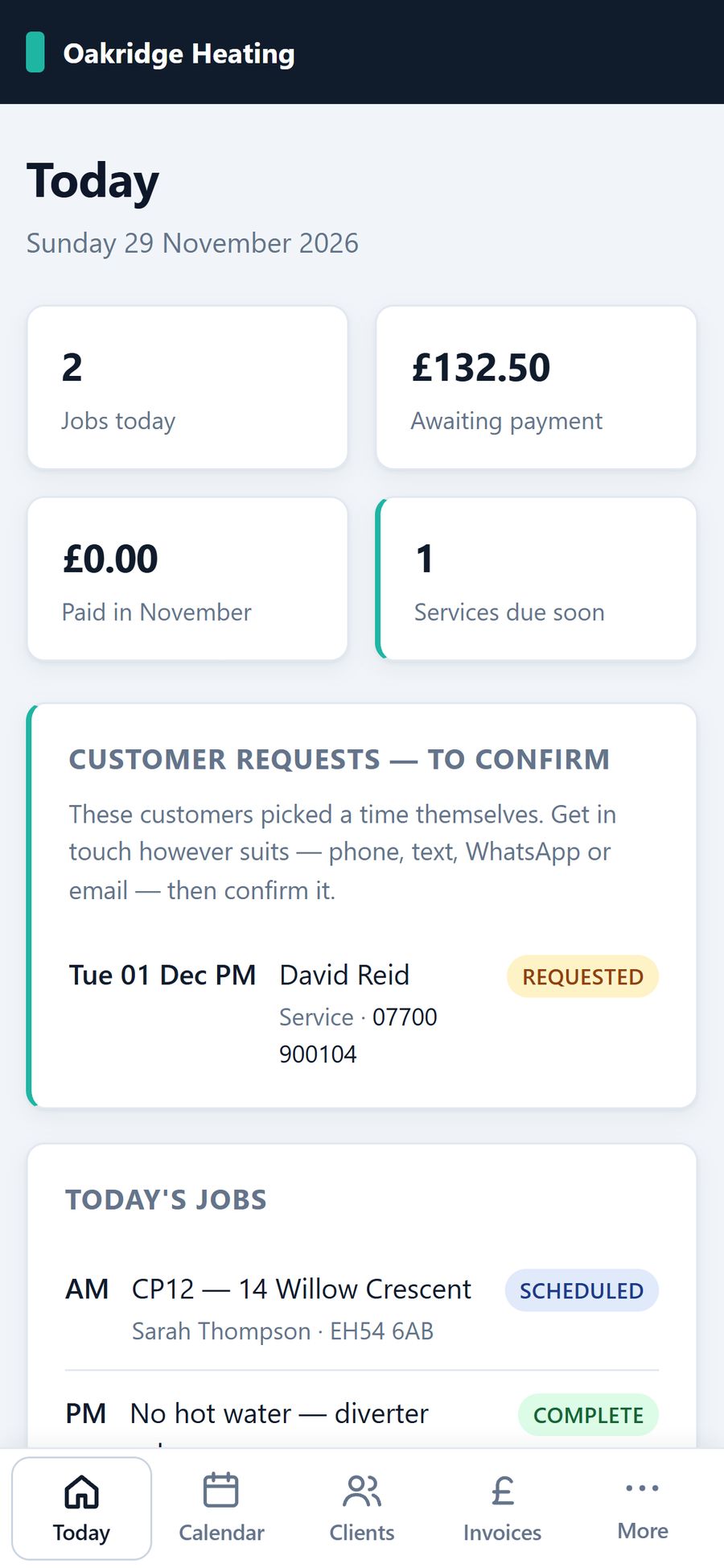
The KitDocket dashboard on a phone, showing today's jobs and money owed

What does KitDocket do?

KitDocket runs the day-to-day of a gas and heating business from your phone. You book jobs into a shared calendar, fill in the job sheet and certificate on site, invoice and take a card payment before you leave, and it reminds each customer when their next service or CP12 is due.
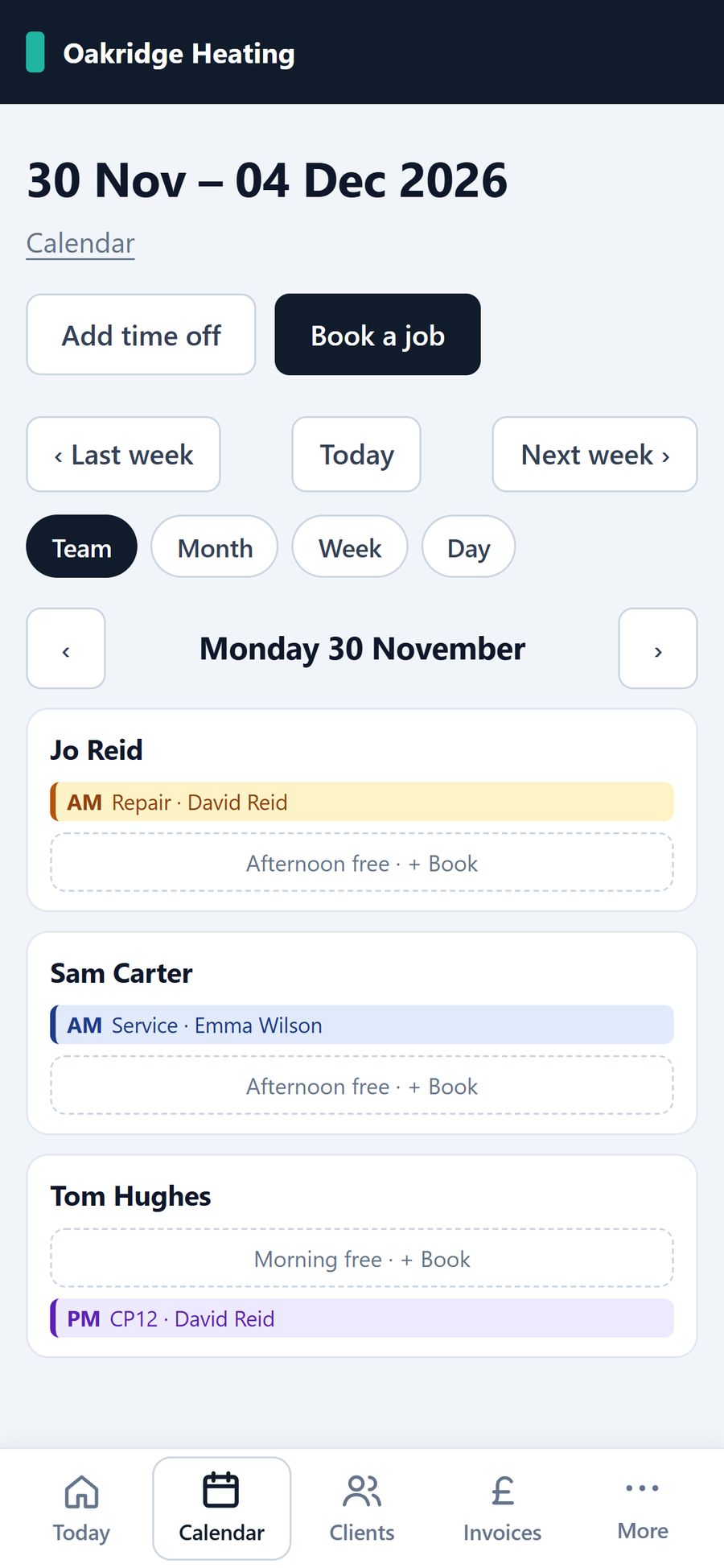
The Team view on a phone: each engineer's day, with free mornings and afternoons to book

What goes on the job sheet?

Each job has a worksheet made for its type: the readings and safety checks for a CP12 or service, notes for a repair. Take a photo under the check it belongs to — the flue, the meter, the fault — and add parts and hours as you go. The certificate is filled in from the same answers.

  • Photos saved under each check, not in a pile at the end
  • Customer and engineer signatures on the screen
  • The appliance's history is there on the next visit
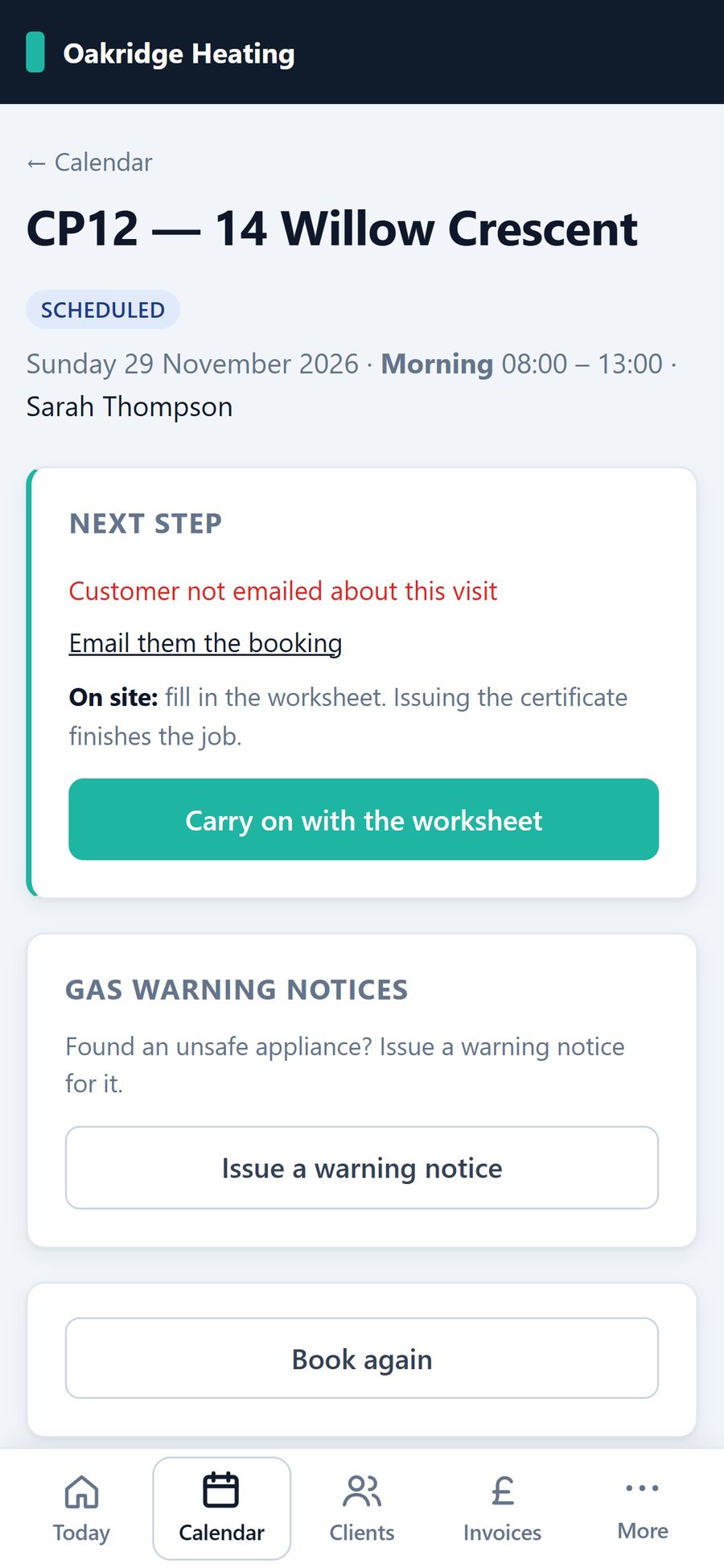
A CP12 job on a phone with its worksheet and certificate buttons

Can my engineers use it too?

Yes. Each engineer gets their own login and sees only the jobs given to them. You choose the checks every job of a type must have before it can be finished, so nothing is missed when you're not there. Every plan is one price for the company, so adding an engineer costs nothing extra up to its limit.

  • Starter: up to 3 people
  • Team: up to 10 people
  • Business: up to 30 people

How do I see who's free this week?

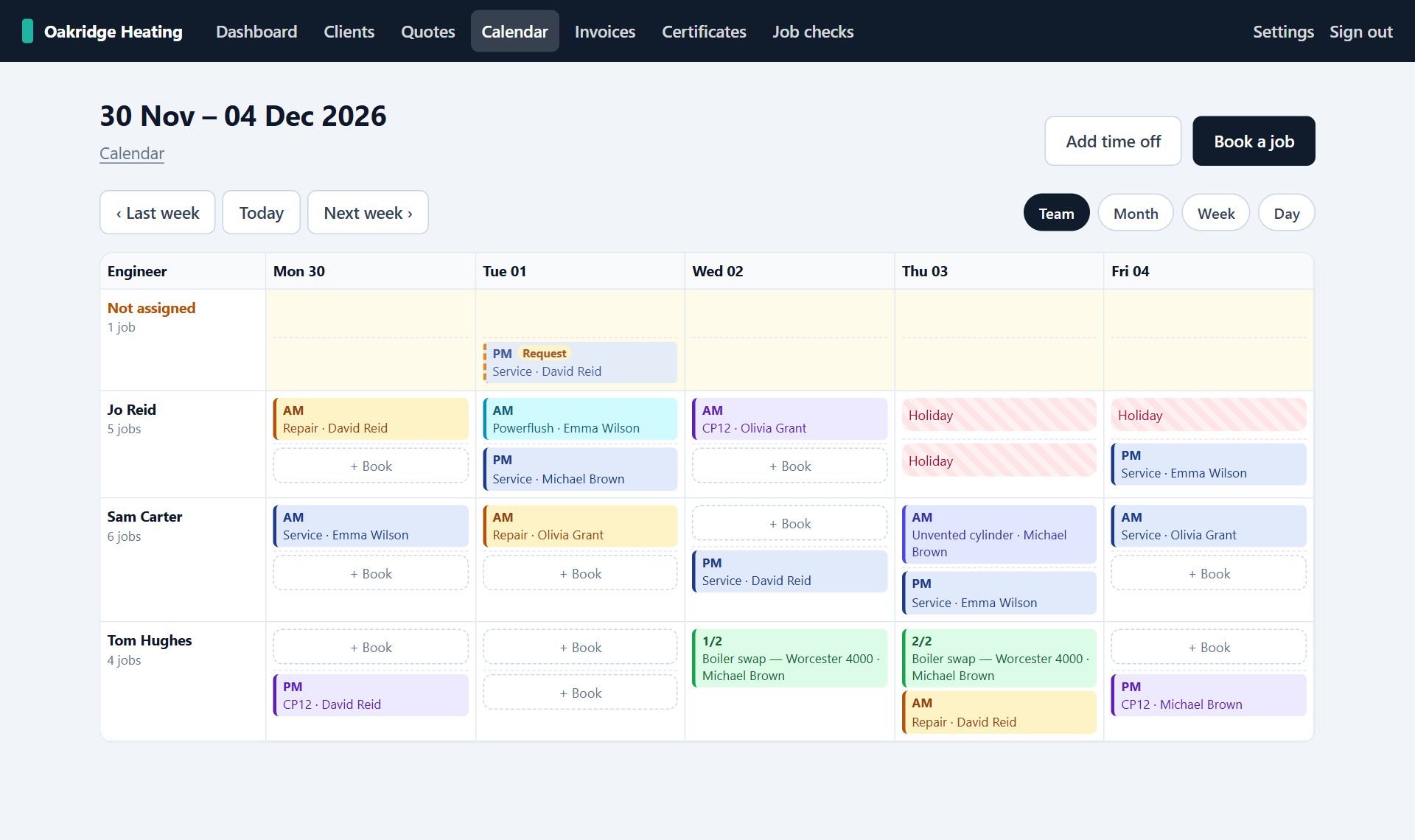
Open the Team board: every engineer down the side, the week across, each day split into morning and afternoon. Jobs, time off and customer requests sit where they belong, and every free half-day has a Book button that fills in the engineer and the time for you.

  • Requests nobody has taken yet sit at the top
  • Holidays and courses shown on the board
  • On a phone: one day at a time, grouped by engineer
The KitDocket Team board: engineers down the side, the week across, jobs in morning and afternoon slots, a holiday and Book buttons

Does it work with no signal?

Yes. Worksheets, photos and notes save on your phone when you're in a cellar or a loft with no signal, and send themselves when you're back in range. Nothing you've typed is lost. Issuing the certificate needs a connection, because each certificate gets its number from KitDocket's server.

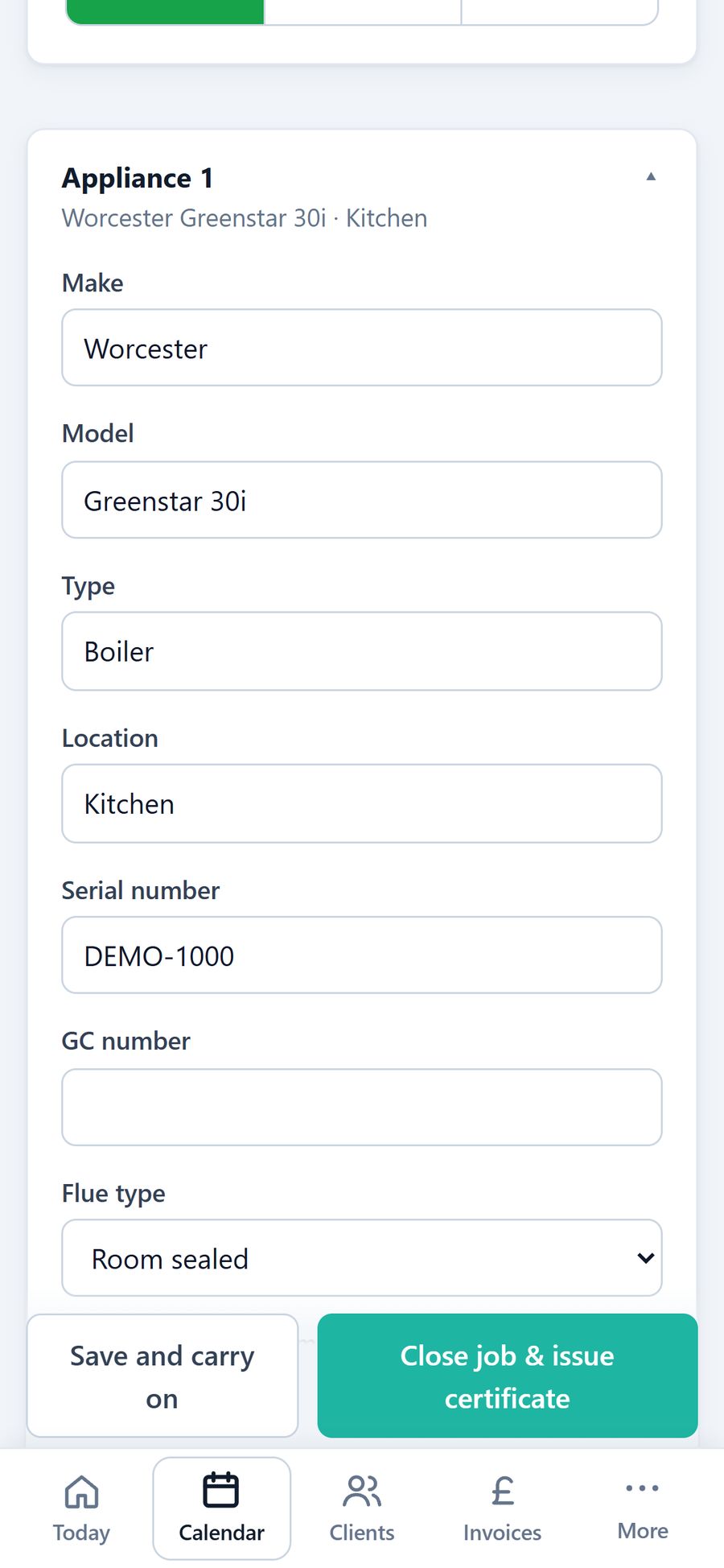
The appliance part of a CP12 worksheet, filled in on a phone

Does it connect to Xero and my website?

Xero, yes: connect it once and your customers, invoices and payments go across on their own, and payments you record in Xero come back. Enquiries from your own website can land in KitDocket too — that's connected on request, because every website is built differently.

  • Xero: customers, invoices and payments sync automatically
  • Website enquiries: connected on request
  • Google reviews: send the customer a link to review you after the job

Can I switch off the parts I don't use?

Yes. Quotes, invoices, reminders, online booking, Google reviews, certificates and the team page can each be switched off in Settings. Off means hidden everywhere, and nothing is deleted — switch it back on and everything is as you left it. Gas warning notices are always there.